RenderRoster — Batch Render Manager for Blender
A downloadable add-on
Batch render combinations. Keep everything in view.
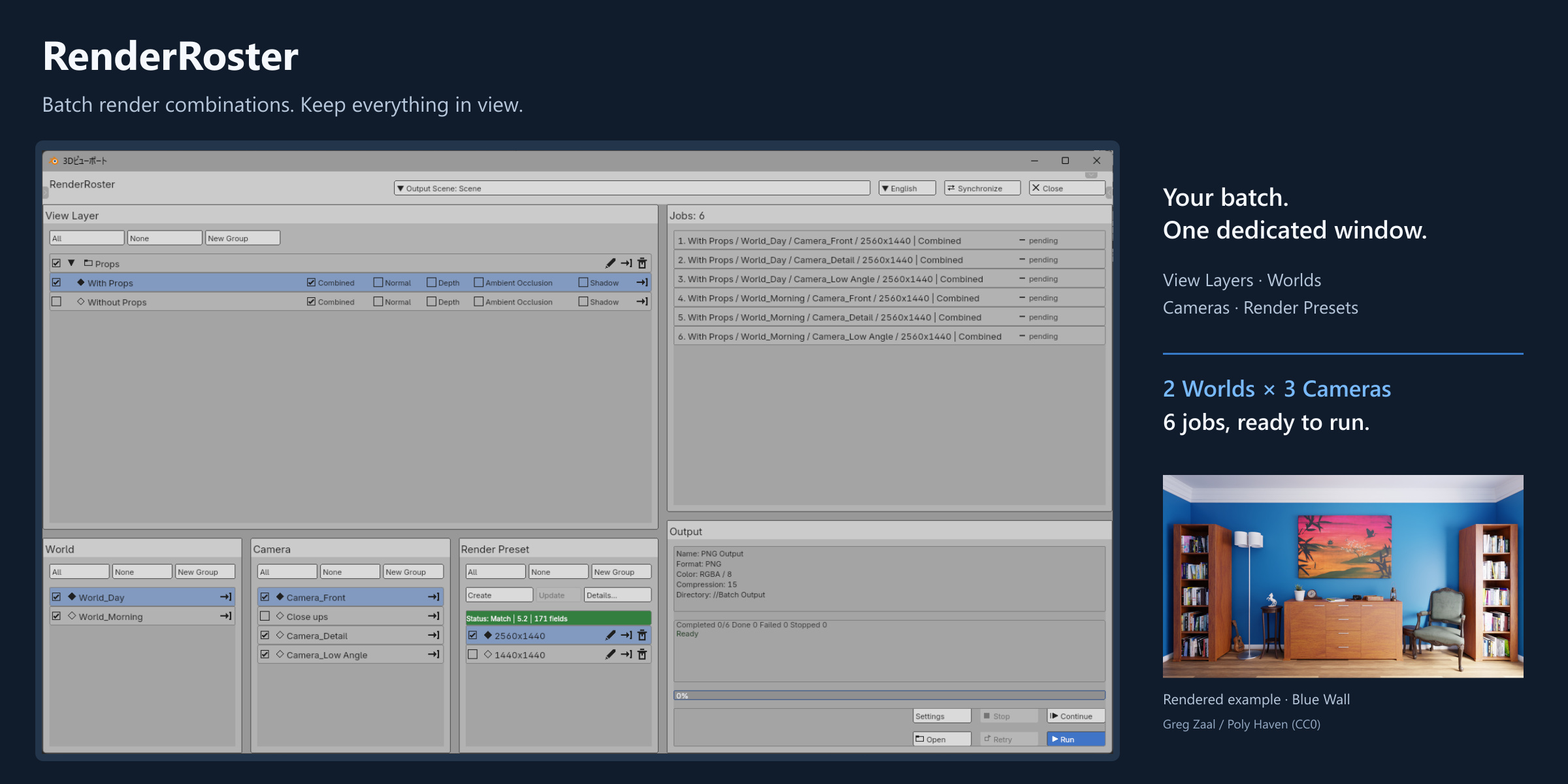
RenderRoster brings batch rendering into one dedicated Blender window. Choose View Layers, Worlds, Cameras and Render Presets, review the generated jobs, and render their combinations in sequence.
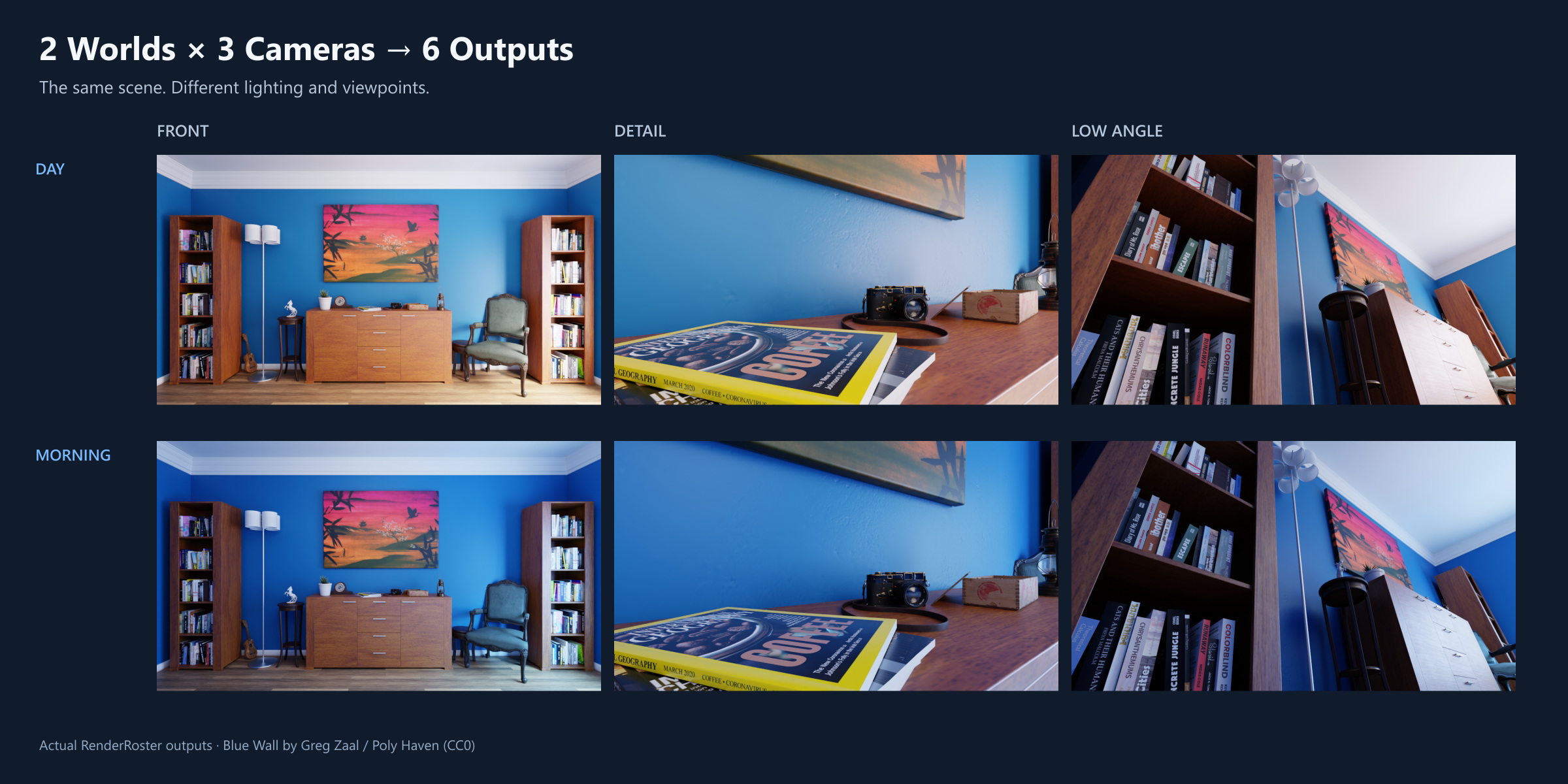
Three cameras × two Worlds = six jobs. The gallery shows real outputs from Front, Detail and Low Angle cameras in Day and Morning lighting.
One window for the whole batch
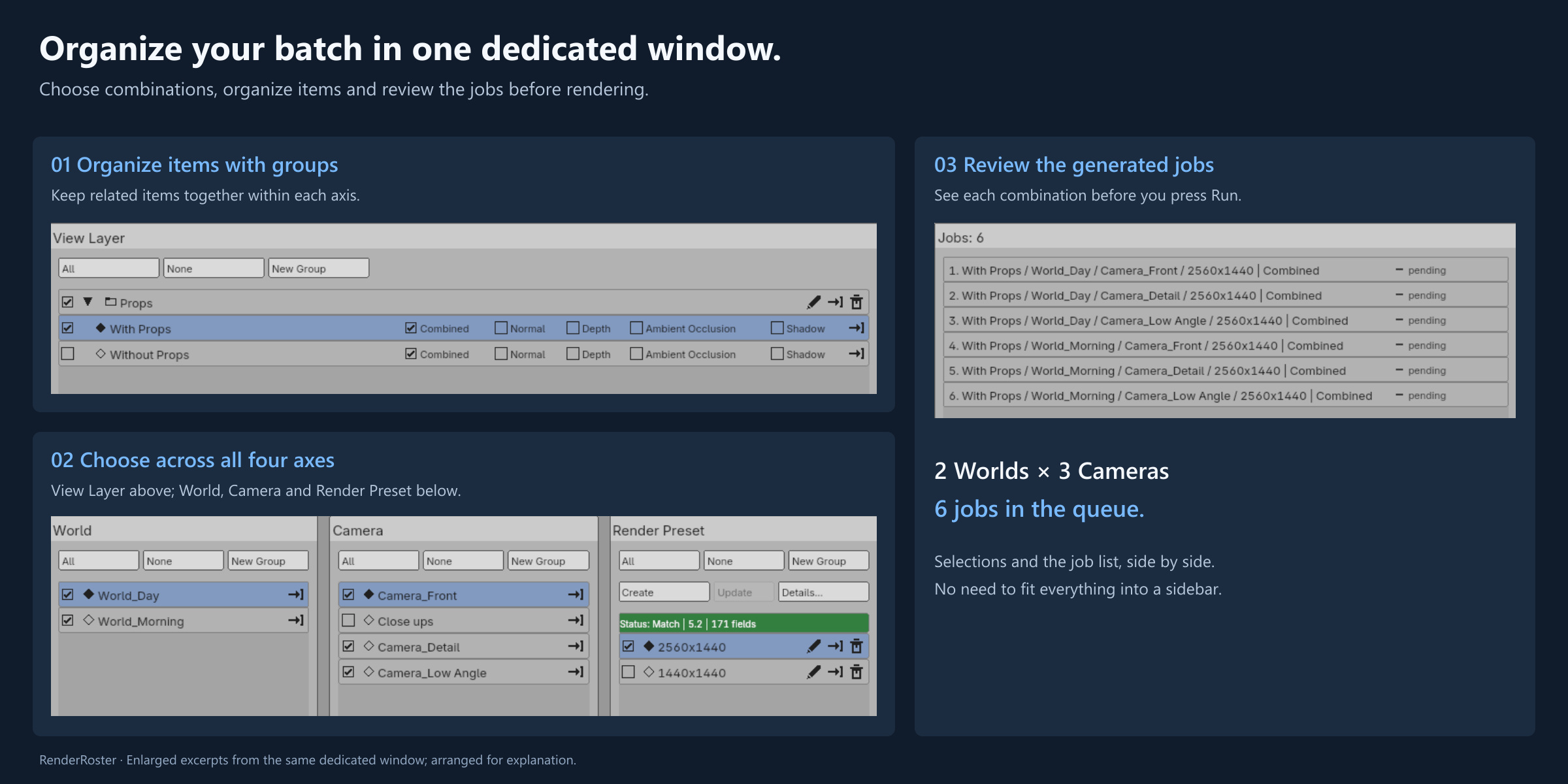
- See all four axes, your job list and progress together.
- Organize items into groups and toggle a group while preserving individual selections.
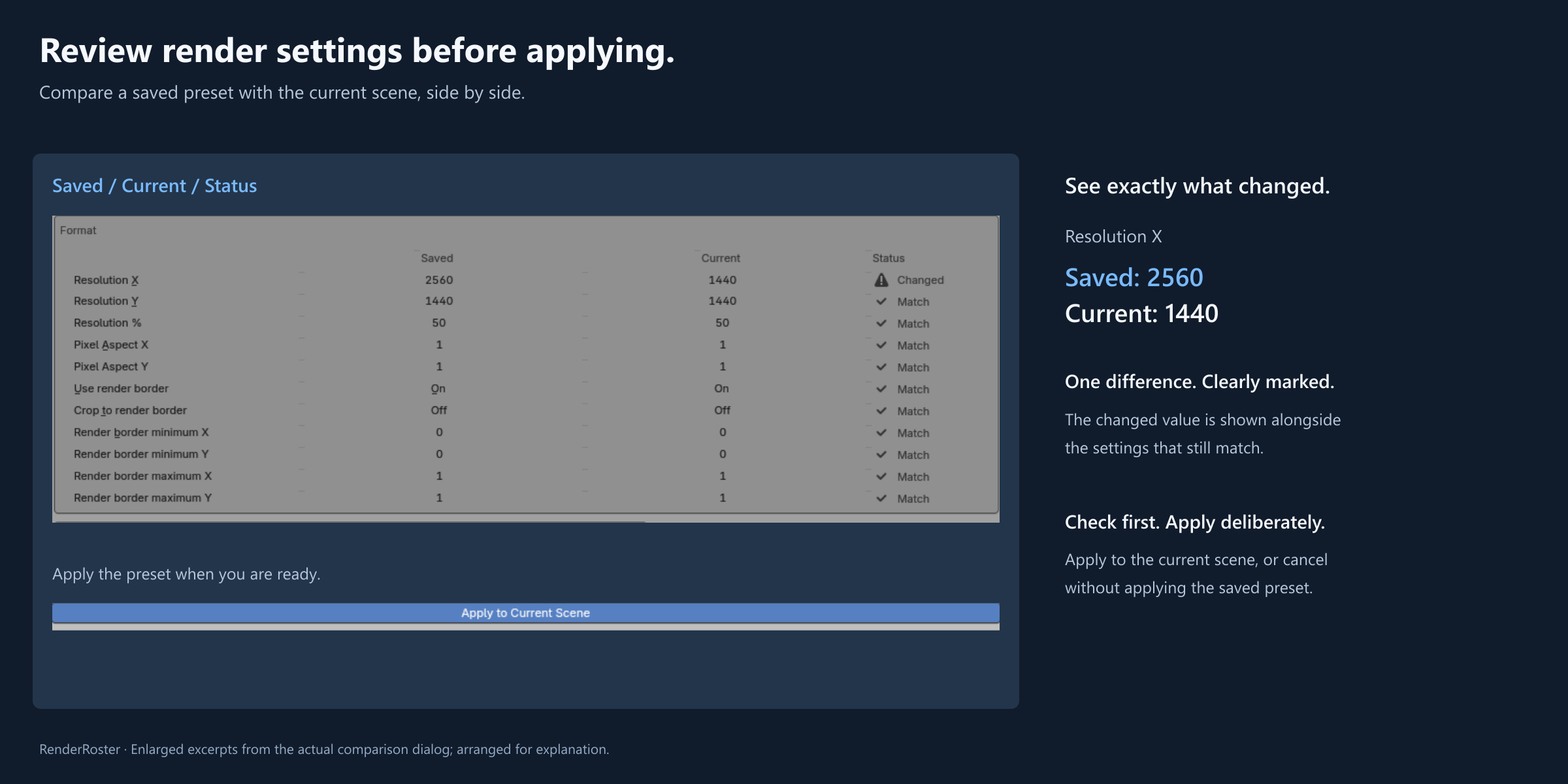
- Save render presets and compare their settings with the current scene before applying them.
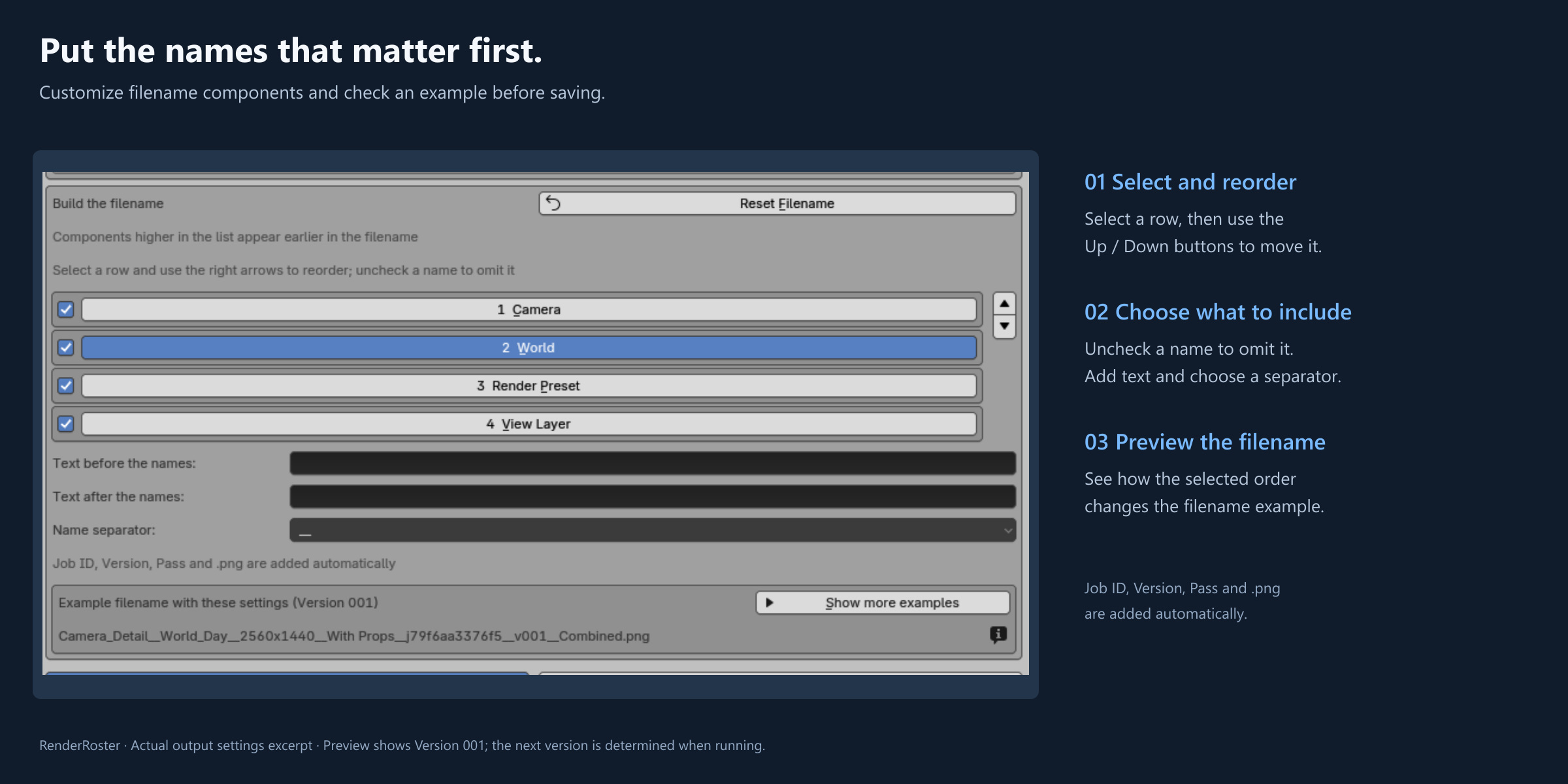
- Customize filename component order, included names, prefix, suffix and separator. Preview example names before saving.
- Stop after the current job, continue pending jobs, or retry failed jobs in the same batch and Blender session.
Keep your outputs distinct. Continue unfinished work.
Customize names without losing job identity. Even when you omit camera or world names, the automatic job ID still identifies the combination of all four axes: View Layer, World, Camera and Render Preset. This keeps different combinations distinguishable when their displayed names are the same. Job IDs, versions and passes are added to filenames automatically. Versioned outputs preserve earlier renders.
Continue without repeating completed jobs. Within the same batch setup and Blender session, Continue runs pending or stopped jobs, and Retry runs failed jobs after you correct the cause. Completed jobs are not rendered again by Continue or Retry.
Temporary scene settings are restored as far as Blender allows.
Requirements and scope
Windows; Blender 4.5 LTS and 5.2 LTS, tested with 4.5.13 and 5.2.0. macOS and Linux are untested.
UI languages: English, Japanese, Simplified Chinese, Korean, Spanish, Russian and French.
PNG output. Jobs run sequentially, without distributed or parallel batch rendering. Continue and Retry work within the current Blender session; they do not provide recovery after closing or restarting Blender. Use one Blender process per output directory. Presets changing Working Space affect the whole blend file.
Installation
This download is a Blender Extension ZIP, not a standalone application. Keep the ZIP unextracted for installation. Use Blender's Install from Disk, or drag the ZIP into Blender on Windows. Save your blend file, then set up from the RenderRoster sidebar tab. The included English and Japanese guide explains your first batch.
Included files and licensing
RenderRoster 1.0.0 and the English/Japanese guide. The demo scene and rendered examples are not included.
Source code: GPL-3.0-or-later. The guide and product icon have separate terms in the included guide. Commercial production is permitted. Using RenderRoster does not impose GPL on your own work or render output.
Demo scene: Blue Wall by Greg Zaal / Poly Haven (CC0), adjusted for these examples. Third-party materials retain their respective terms.
Purchase, updates and support
USD 6.99 minimum. Your purchase includes RenderRoster 1.x updates and 12 months of individual support from the purchase date, in English or Japanese, for installation, normal operation and reported issues.
We provide support as reasonably possible. We do not guarantee response or resolution times, resolution of every issue, or the implementation of fixes or feature requests.
After 12 months, you can continue using the versions you have received. Issue reports remain welcome, but individual investigation and replies are not guaranteed. No paid support extension is offered at launch. A future major version (2.x) may be sold separately. These purchase terms do not restrict your rights under the GPL.
Refunds
As this is a downloadable digital product, refunds for customer convenience are generally not offered, including accidental purchases, a change of mind, or purchases for an environment clearly listed as unsupported. This does not affect rights or remedies required by applicable law or itch.io policy. For technical issues, contact support@urushigusa.com.
Contact: support@urushigusa.com or https://urushigusa.com/contact
Purchase
In order to download this add-on you must purchase it at or above the minimum price of $6.99 USD. You will get access to the following files:
Comments
Log in with itch.io to leave a comment.
Filename collisions are the thing that bites batch renderers, and from the feature list you are already close to guarding against them. If two jobs differ only on an axis that is not part of the filename template, both write to the same path and the second silently replaces the first, so a six job batch quietly produces four files and nobody notices until review.
The cheap guard is to generate every name up front, check the set for duplicates, and refuse to start while showing the colliding pair, rather than discovering it halfway through a long render.
The other thing worth having is resume. If a batch dies at job five of twelve, a small manifest of completed jobs written beside the output lets the next run skip what already rendered instead of starting the whole combination again.
Thanks for pointing these out! Your comment helped me realize that the description could explain this more clearly.
RenderRoster keeps an automatic job ID based on all four axes in each filename, even when camera or world names are omitted. Versioned filenames also preserve earlier renders.
Continue and Retry skip completed jobs within the same Blender session. Recovery after a Blender crash or restart isn’t currently available through the UI, so that part of your suggestion goes beyond the current functionality.
I’ve updated the description to clarify both points. Thanks for the useful feedback!